• 3 min read
Firefox for iOS adds built-in ad blocking
Firefox for iOS now blocks many third-party ads and trackers with EasyList, but the feature is off by default and won’t remove every ad.

Image: The Verge
Mozilla is adding built-in ad blocking to Firefox for iOS on September 1, 2026, giving iPhone users a way to filter many third-party ads and ad-related trackers without installing a separate Safari extension.
The feature combines the EasyList filter list with Apple’s WebKit Content Blocker technology. WebKit’s content-blocking API is the same mechanism used by ad-blocking tools in Safari, but those App Store blockers generally can’t filter content inside third-party iOS browsers. Mozilla implemented the capability inside Firefox rather than exposing it as a separate extension.
Mozilla says the blocker can prevent many third-party ads and trackers from loading before they reach the page. That can reduce the amount of advertising-related data downloaded by an iPhone and remove some visual clutter on mobile sites. The filter is not a universal ad-removal system, however: advertising served directly by the site a user is visiting will still appear, as will ads embedded in search results.
Recommended reading
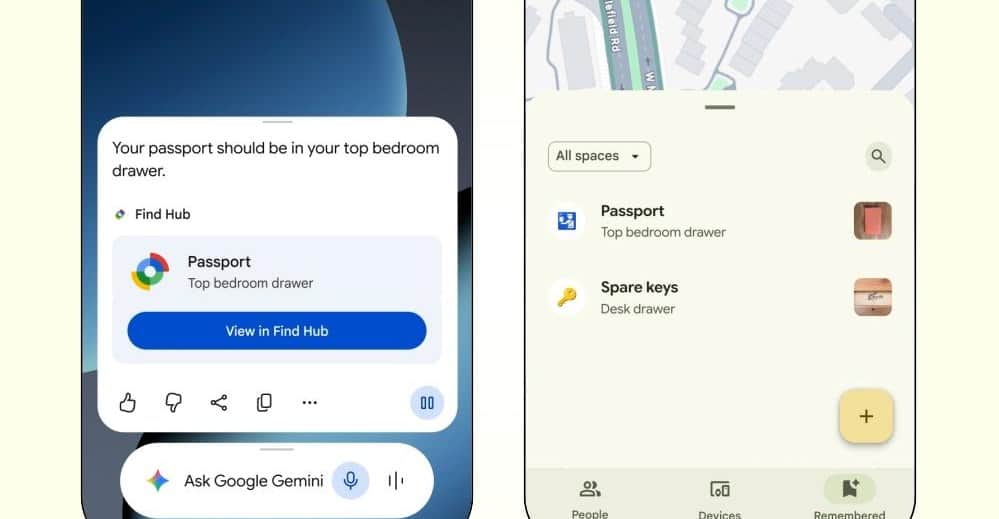
Gemini can now remember where you put things
Computing Desk • • 4 min read
Firefox’s own sponsored shortcuts and other sponsored content displayed on a new-tab page are also excluded. Those placements are treated separately from ads encountered on websites, so enabling the blocker does not remove Mozilla’s sponsored content from the browser interface.
How to enable and control it
Ad blocking is disabled by default. Users can turn it on in Firefox for iOS by opening Settings > Browsing > Ad Blocker. Mozilla also provides a session-level control: the blocker can be switched on or off from the site menu while browsing, according to Mozilla’s Firefox for iOS support documentation.
Keeping the feature opt-in avoids changing page behavior for existing installations, but it also means users who expect the new protection to activate after an update will need to change the setting themselves. The supplied material does not indicate whether Firefox offers additional filter lists, per-site rules, cosmetic filtering, or a detailed report of blocked requests.
Firefox adds the feature on iOS
This is the first time Firefox has added built-in ad blocking on iOS, but it isn’t the first iPhone browser to offer the feature. Brave, Vivaldi, Opera and other browsers already advertise integrated ad blocking on Apple’s platform. Firefox is bringing the capability to a browser that previously required users to rely on Safari-specific blockers or accept third-party advertising and tracking inside Firefox.
The technical constraint is Apple’s browser architecture, not simply a missing Firefox setting. Because Firefox for iOS uses Apple’s WebKit technology, Mozilla can use WebKit Content Blocker rules, but the filtering remains subject to the limits of the filter list and the browser API. EasyList can identify known advertising and tracking patterns; it cannot guarantee that first-party ads, search ads, sponsored browser content or newly changed ad delivery paths will be removed.
Mozilla has not announced a price for the feature because it is included in Firefox for iOS. The supplied material also does not specify a minimum iOS version, a release number, battery or bandwidth measurements, or whether the launch applies equally across all regions. The scope is an optional, EasyList-based blocker inside Firefox, with first-party and search advertising deliberately left visible.
Frequently asked questions
How do I turn on Firefox ad blocking on iPhone?+
Open Firefox for iOS and go to Settings > Browsing > Ad Blocker. The blocker is off by default and can also be toggled from the site menu during a browsing session.
Does Firefox for iOS block every ad?+
No. It blocks many third-party ads and trackers, but ads served directly by the website, search-result ads, and sponsored content on Firefox’s new-tab page still appear.
Which ad-blocking technology does Firefox for iOS use?+
Mozilla combines the EasyList filter list with Apple’s WebKit Content Blocker technology, the same content-blocker API used by Safari ad blockers.
A section byline, not a person: stories filed here by for(geeks) are held to the same editorial policy as every story we run.