• Updated • 9 min read
Siri AI is public, but Apple has put limits and borders around it
Apple’s Siri AI beta has arrived across its current OS releases, but server-side caps, EU restrictions and tight hardware gates shape who can use it.
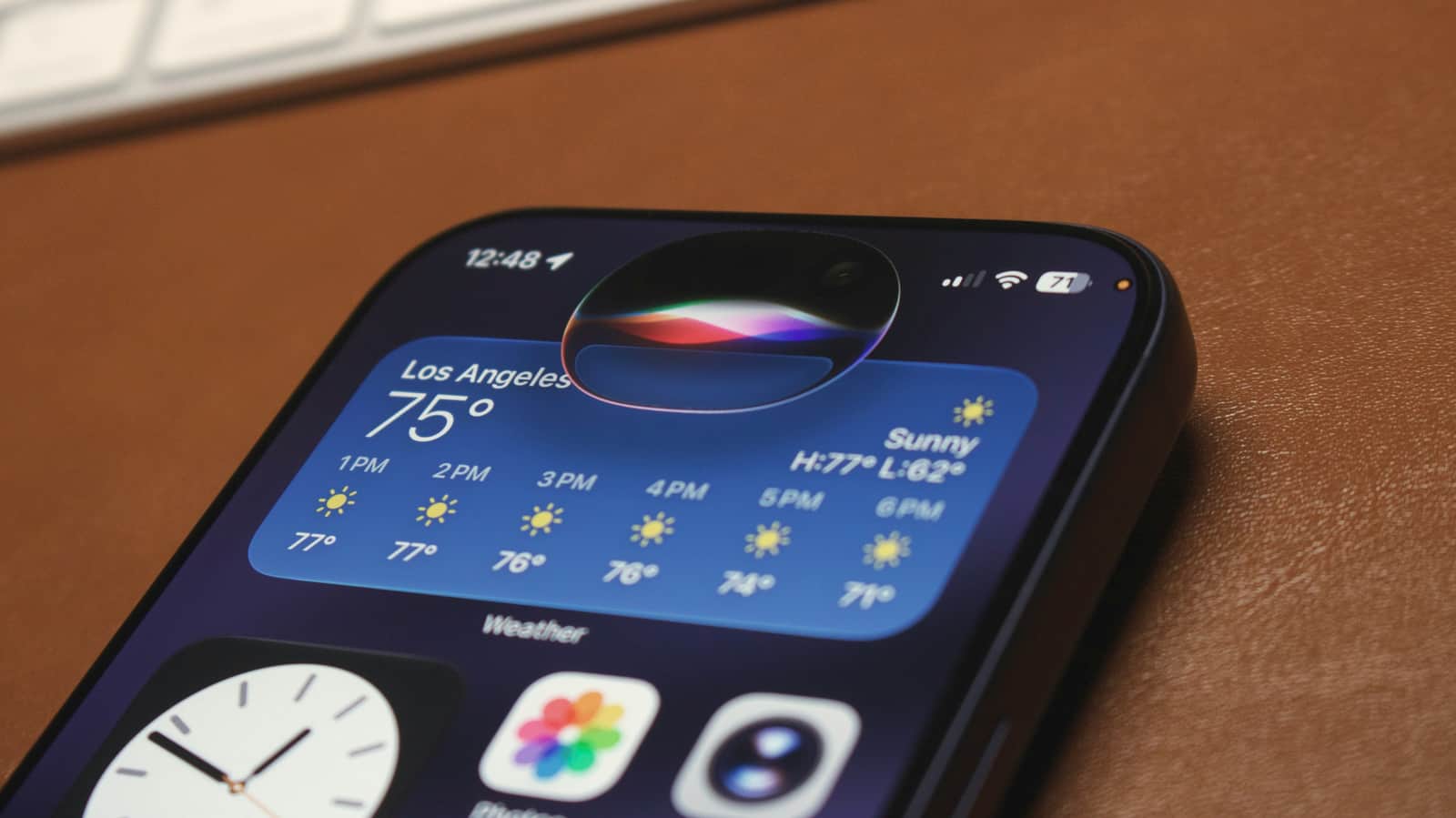
Image: Engadget
Apple’s long-delayed Siri overhaul is now available in iOS 27, iPadOS 27, macOS 27 Golden Gate, watchOS 27, and visionOS 27. Siri AI is an English-language beta, requires recent Apple Intelligence-capable hardware, and may be subject to daily limits on requests that use server-side models.
The September 14, 2026 releases make Siri a system-level assistant that can use personal context from Messages, Mail, Photos, and other apps; interpret onscreen content; query the web for current information; and invoke app actions. A dedicated Siri app keeps conversation history and syncs it across Apple products through iCloud. Apple says the new assistant is available now in English, with French, Japanese, Korean, Portuguese, and Spanish due in October.
Device compatibility is not the only limitation. Apple says Siri AI, photo-editing tools, Image Playground, and AFM 3 Cloud models used by Shortcuts can hit daily usage limits. Those limits can vary by feature, request complexity, demand, policy, and other factors. The company says expanded access will eventually be offered for a fee, though it has not announced a price, capacity tier, or definition of what qualifies as expanded access.

Recommended reading
DoltLite brings Git-style history to SQLite
Sergey Kuznetsov • • 7 min read
Siri AI is a public beta with a metered cloud backstop, rather than an unlimited local-assistant launch. Apple says some capabilities use on-device models and others rely on server-side models, but it does not provide request-level routing details, token limits, latency targets, or a way for a user to see the remaining daily quota.
What Siri AI can do on each screen
The feature set is built around four inputs: personal context, broad web knowledge, onscreen awareness, and app actions. On iPhone, Siri mode is integrated into Camera. Apple’s examples include reading a festival poster, finding set times for selected artists, and creating calendar events; the primary release also cites splitting a bill and paying friends through Apple Cash. The Apple Cash example is available only in the U.S. on eligible iPhone and iPad devices.
On iPhone, iPad, and Mac, Visual Intelligence lets users ask about material currently displayed. Mac adds a keyboard-oriented workflow: Command-Shift-Space adds the focused window to Siri’s context, while Command-Shift-6 opens a crosshair tool for selecting part of the display. The selected material can then be used for a question, an image search, or contextual actions such as adding contact data or looking up a location.
On Vision Pro, Visual Intelligence extends beyond windows. A wearer can look at a physical object in the room or content in an app window and ask Siri a question. Siri can also be pinned at a fixed location in the wearer’s space and invoked by looking at it and speaking, without first saying “Hey Siri.”
Writing is another major feature. Write with Siri can draft text, edit a selected block, or provide feedback in text fields. In Mail and Messages, Apple says writing assistance can draw on a user’s style and on phrases and punctuation previously used with specific contacts. Apple has not described which processing path is used for each request or how those style signals are retained.
Siri’s surrounding app features also include Safari grouping tabs by topic, monitoring sites for restocks and price changes through Notify Me, and creating a custom extension from a natural-language description. Describe a Shortcut can assemble a Shortcut from a description. In Home, eligible iCloud+ subscribers can get generated HomeKit Secure Video descriptions and search camera clips; Apple requires an eligible iCloud+ plan, a current home hub, an Apple Intelligence-enabled iPhone, and Apple Intelligence enabled in the Home app.
Apple’s platform-release documentation defines the broad platform split more clearly than the launch coverage did:
| Product family | Siri AI hardware requirement | EU availability at launch | Platform-specific implementation |
|---|---|---|---|
| iPhone and iPad | iPhone 15 Pro/Pro Max, iPhone 16 or later, iPad mini with A17 Pro, or M1-or-later iPad | Not initially available | Siri mode in Camera; Visual Intelligence on screen |
| Mac | MacBook Neo with A18 Pro or any M1-or-later Mac | Available when set to a supported language | Screen selection and typed queries through Visual Intelligence |
| Apple Watch | Series 9 or later, Ultra 2 or later, or SE 3; paired with an eligible iPhone | Not initially available | Personal context and app actions depend on the paired iPhone |
| Apple Vision Pro | Apple Vision Pro | Available when set to a supported language | Look at physical objects or app content; Siri can be spatially pinned |
There is a narrower performance tier within that support matrix. Apple says its most powerful on-device model, expressive voice controls, and advanced dictation require an M3-or-later Mac with at least 12GB of unified memory, an M4-or-later iPad with at least 12GB, or specified recent iPhones. On Vision Pro, the customized voice features require the M5 model. The base Siri AI experience does not mean every supported device receives the same local model or voice stack.
Faster transfers, but the test conditions matter
The operating-system updates include performance claims beyond the assistant. Apple’s numbers are specific, as are their test conditions: the measurements compare prerelease software with version 26.6 on particular devices and workloads. They are not a general promise that every interaction will improve by the published percentage.
| Claimed improvement | Apple’s stated test configuration | Workload |
|---|---|---|
| Up to 30% faster app launches | iPhone 11 Pro Max, iOS 26.6 versus prerelease iOS 27, August 2026 | App launches after many cycles of device usage |
| Up to 70% faster photo loading | iPhone 15, iOS 26.6 versus prerelease iOS 27, July 2026 | Photos library with 50,000 assets plus newly captured photos |
| Up to 80% faster AirDrop | iPhone 16 Plus, iOS 26.6 versus prerelease iOS 27, July 2026 | Multiple photos totaling 30MB between nearby contacts without Wi-Fi association |
| Up to 5x faster iPad external-drive work | 11-inch iPad Pro with M4, iPadOS 26.6 versus prerelease iPadOS 27 | Browsing and copying 10,000 JPG files to an APFS-formatted USB 4 SSD |
The iPad claim applies to an M4 iPad Pro, an APFS-formatted USB 4 SSD, and a 10,000-image workload. It should not be read as a blanket 5x improvement for arbitrary drives, file systems, or small transfers.
On Mac, Apple promises quicker AirDrop transfers, faster-starting iCloud Photos uploads, and smoother Space and Mission Control gestures without publishing comparable percentages. macOS 27 requires Apple silicon, ending the major-release path for Intel Macs after last year’s macOS Tahoe. The update also refines Liquid Glass with a slider ranging from ultra-clear to fully tinted, higher contrast, uniform toolbars, edge-to-edge sidebars, and consistent window corner radii.
The rest of Apple’s September 14 releases
The Siri launch is part of a larger synchronized update. iOS 27 adds Spatial Reframing, Extend, and a more capable Clean Up feature in Photos. Image Playground can produce photorealistic imagery through a new generative model on Private Cloud Compute. Apple says SynthID support for most eligible generated or edited images will arrive in a software update later in 2026, rather than with the September 14 release.
watchOS 27 gains a Siri Modular face, Smart Stack suggestions, a single-handed tap gesture for selecting Smart Stack widgets, a consolidated Find My app, and Workout Buddy support without an iPhone when Wi‑Fi or cellular is available. The watch’s Siri AI experience still requires an Apple Intelligence-capable iPhone. Apple Watch Series 12 and Ultra 4 also have separate Audio Intelligence features planned for beta later in 2026, including Live Rewind and Siri Recap; they are not part of the September 14 Siri AI rollout.
visionOS 27 adds spatial-scene panoramas, Personal Environments, curved windows in Safari, Freeform, and Apple TV Multiview, plus a new Thórsmörk environment. It can record an unfoveated 4K view with edge-to-edge sharpness for up to 3 minutes and mirror that recording in 4K. Apple also claims Wi‑Fi connection after power-on can be up to 3x faster, based on a test from first unlock after reboot to Apple TV launch on an M2 Vision Pro.
For the platforms without Siri AI, tvOS 27 is available for second- and third-generation Apple TV 4K hardware. It drops Apple TV HD and the first-generation Apple TV 4K, while adding Apple Music high-resolution lossless audio, a redesigned Podcasts app, larger text options, customizable subtitles, and a more responsive Control Center. HomePod Software 27 adds AutoMix for Apple Music, using time stretching and beatmatching for DJ-style transitions, along with faster AirPlay connections.
What changed since the beta cycle
Apple had already made public beta 4 of iOS 27, macOS 27, iPadOS 27, tvOS 27, and watchOS 27 available on August 18, as we covered during the beta cycle. September 14 is when those releases became public software rather than opt-in preview code, and when the delayed Siri AI feature began rolling out as a beta to ordinary supported-device owners.
On August 13, we reported on Apple’s proposed publisher agreements to supply Siri with current news and information. Siri now says it can seek up-to-date web information, but Apple has not disclosed the publisher arrangements, source-selection rules, or how the assistant will distinguish those materials from other web results.
Compatibility documentation remains less tidy than the rest of the release. MacRumors lists iPadOS 27 support starting with the second-generation iPad Pro, fourth-generation iPad Air, sixth-generation iPad mini, and A16 iPad. The Verge’s listing differs, naming a fourth-generation iPad Pro, M2 iPad Air, sixth-generation iPad mini with A17 Pro, and ninth-generation-or-later base iPad with A16. Apple’s September 14 release does not supply a complete iPadOS hardware-support list, so owners of older iPads should verify the update in Settings rather than rely on either conflicting summary.
Apple’s rollout has three different geographic rules
Launch reports differ on regional availability. One broad account described Siri AI and dependent features as unavailable in the EU at launch. Apple’s own documentation is more precise: Mac and Vision Pro users in the EU can access Siri AI when their device is set to a supported language. The initial EU restriction applies to iOS, iPadOS, and watchOS, along with Siri AI-dependent features on those platforms.
China is a separate hold. Apple says neither Siri AI nor the other new Apple Intelligence features are available there while it works through regulatory requirements. The assistant is also unavailable to users under 13.
Apple has launched a common assistant interface, not a common service. A recent Mac can run Siri AI in the EU while a qualifying iPhone or Apple Watch cannot; a supported device can expose the feature set while a server-backed request is still subject to an undisclosed daily ceiling; and support for a device does not guarantee access to the most powerful on-device model. Apple has not published daily allowances or the price of expanded access.
Update, 16 September 2026 — iOS 27.2 developer beta arrives
MacRumors reports that Apple has seeded the first iOS 27.2 and iPadOS 27.2 developer betas, two days after the public release of iOS 27. Registered developers can opt in through Settings > General > Software Update by selecting the iOS 27 developer beta.
The report does not identify Siri AI changes that are present in this first build. It says Apple has said French, Japanese, Korean, Portuguese, and Spanish support is due in October, and that those languages could arrive in iOS 27.2.
Frequently asked questions
Which iPhones can use Siri AI?+
Siri AI requires an iPhone 15 Pro or iPhone 15 Pro Max, or an iPhone 16 model or later. The standard iOS 27 update also supports iPhone 11-series devices and later, plus the second-generation iPhone SE.
Is Siri AI available in the European Union?+
At launch, Siri AI is available in the EU on Mac and Apple Vision Pro when set to a supported language. It is not initially available in the EU on iPhone, iPad, or Apple Watch.
Will Apple charge for Siri AI?+
Apple has not announced a current Siri AI fee. It says certain server-side features have daily usage limits and that expanded access will be available for a fee in the future.
Which Macs support macOS 27 Golden Gate?+
macOS 27 requires Apple silicon. Apple says Siri AI works on Macs with M1 or later, plus the MacBook Neo with A18 Pro; Intel Macs are not supported.

Editor-in-Chief
Sergey Kuznetsov is Head of Product at iXBT.com, one of the largest Russian-language technology media outlets, and the founder of itzine.ru. He has spent over a decade building and running tech newsrooms. At for(geeks) he sets editorial standards and reviews what ships.